
MAINTENANCE


Software - Maintenance Mode
Every time you need to service the machine, it is imperative to place the machine on a MAINTENANCE HOLD. This pauses the system feeding and prohibits the machine from turning on the irrigation pumps for any reason.
You can enable MAINTENANCE HOLD in 3 steps:
You can enable MAINTENANCE HOLD in 3 steps:
1. It is recommended to do maintenance when the machine is not currently feeding, but if the machine is currently feeding, go to Rhythm Logo > Dashboard > Press "Maintenance Hold". If the machine is idle, skip to step 2.
2. While the current feed is paused and the "Feeding on Hold" popup is on screen, click Rhythm Logo > FULL MANUAL. You will know you are in full manual mode when the outside of the entire screen is outlined in RED.
3. To make sure the irrigation pumps do not turn on for any reason during FULL MANUAL, you can click "Maintenance Pump Disable" to disable the pumps.
2. While the current feed is paused and the "Feeding on Hold" popup is on screen, click Rhythm Logo > FULL MANUAL. You will know you are in full manual mode when the outside of the entire screen is outlined in RED.
3. To make sure the irrigation pumps do not turn on for any reason during FULL MANUAL, you can click "Maintenance Pump Disable" to disable the pumps.

• Green icon means the main irrigation pumps are DISABLED.

Important!
When in manual mode, no automation will run meaning schedules will NOT be fed to any rooms. YOU WILL NEED TO EXIT FULL MANUAL MODE TO RESUME ANY FUNCTION. This can be done by simply clicking on any of the menu buttons: "Rooms" "Overview" "Recipes" "Alerts" or any of the menu items within the Rhythm Logo icon.
Note: Feeds will be queued when in full manual. When you leave full manual you will need to press “resume” on the overview page to begin feedings that were queued while in full manual.
When in manual mode, no automation will run meaning schedules will NOT be fed to any rooms. YOU WILL NEED TO EXIT FULL MANUAL MODE TO RESUME ANY FUNCTION. This can be done by simply clicking on any of the menu buttons: "Rooms" "Overview" "Recipes" "Alerts" or any of the menu items within the Rhythm Logo icon.
Note: Feeds will be queued when in full manual. When you leave full manual you will need to press “resume” on the overview page to begin feedings that were queued while in full manual.
When you have completed your maintenance tasks, navigate out of the FULL MANUAL screen by clicking on any of the other MAIN MENU buttons ("Rooms", "Overview", "Recipes" or "Alerts"). You can confirm you are out of Full Manual Mode when the outline of the screen does not have a red outline. Press "Resume" to continue the feed you paused (or "Send to Dump" if you'd like to dump it), if necessary.
Routine Maintenance Procedures
Periodically there will be some general maintenance required to keep your Rhythm AFS running at optimal levels of performance and efficiency. Below are the recommended maintenance and calibration procedures for the various components as well as suggested maintenance timelines.
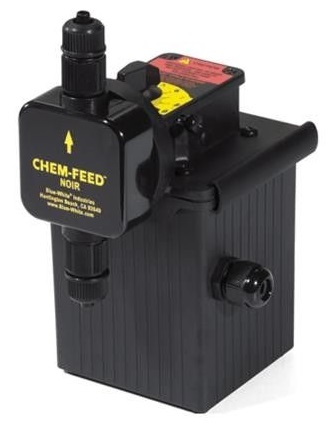
Maintenance Duties List
Maintaining an accurate log of the scheduled maintenance will assist in keeping your system running for years to come. Frequency of maintenance procedures will depend on several factors including type of nutrients being used, frequency of use, and the maintenance program. Below is a suggested timetable for maintenance procedures.
Once a week
• Calibrate EC and pH sensors. (You will also need to do this any time you see that the sensors are displaying drastically different readings.)
Once a month
• Visually inspect system for leaks.
• Clean nutrient injectors and foot valve strainers.
• Clean the mix tank.
• Clean and flush the plumbing systems, pumps and manifold.
• Clean nutrient injectors and foot valve strainers.
• Clean the mix tank.
• Clean and flush the plumbing systems, pumps and manifold.
Once every 3-6 months
• Calibrate the dosing pumps. (It is also a good idea to calibrate the pumps if your EC starts to divert away from your recipe setpoints, e.g. your typical 2.0 EC Flower recipe starts suddenly coming in at a much lower EC value.)
• Clean and flush the irrigation lines. (This can be done when a room flips and plants are momentarily removed.)
• Clean and flush the irrigation lines. (This can be done when a room flips and plants are momentarily removed.)
Annually
• The pH probes will usually need to be replaced every year. You can do this by sending an email to candice@rhythmcss.com. Your first pH probe is covered under warranty, but each subsequent probe will be charged at the current market price.
As needed
• The fuses may need replacing from time to time. View the video below on how to replace them.
• The 24VAC Transformer (CPT) is what powers all solenoid valves in the AFS and/or Feeding Zones controller. The fuse is in place to protect that circuit, and may need to be replaced in the event of a short circuit (typically due to faulty wiring or solenoid valves). View the video below on how to replace it.
• The solenoids may need replacing in the event of malfunction. View the video below on how to replace them.
Irrigation Pump Maintenance
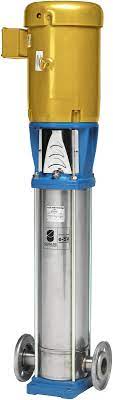
Your main irrigation pumps are designed for industrial use and will be able to handle the load of your commercial facility. If you use a single batch skid system, your machine will work off of one pump and the second is for backup. In multi-batch systems, one pump will work for each tank, without backups. Custom layout systems may employ one or two pumps.
Priming irrigation pumps.
• First, fill the pump and suction pipes with water before starting the unit. Dry running can damage the pump.
• Make sure the tank has water in it, and all manual shut-off valves are in the open position.
• Loosen the drain plug pin to end of travel without forcing it. Go to FULL MANUAL, turn the agitation cycle on so water starts to flow. When water begins to come out of the drain plug at a steady stream, tighten the drain plug pin to the end of travel without forcing it.
• First, fill the pump and suction pipes with water before starting the unit. Dry running can damage the pump.
• Make sure the tank has water in it, and all manual shut-off valves are in the open position.
• Loosen the drain plug pin to end of travel without forcing it. Go to FULL MANUAL, turn the agitation cycle on so water starts to flow. When water begins to come out of the drain plug at a steady stream, tighten the drain plug pin to the end of travel without forcing it.
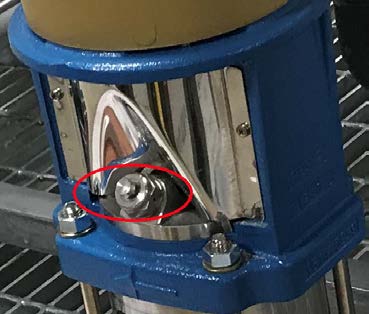
Loosen the drain plug pin, circled below in red.
Troubleshooting pump issues.
1. The irrigation pumps won’t deliver my mix?
2. Foreign particles have entered the machine through the fresh water input and clogged the system.
3. Why is a different volume of water being delivered to feeding zones in one of my rooms? (i.e. Zone 1 gets more volume than Zone 4)
4. A plumbing fitting has cracked or broken.
Cleaning and Flushing the System
Flushing the plumbing systems and mix tank of the AFS reduces the accumulation of pollutants and residual buildup by pushing them out of the system. The system must be cleaned and flushed at regular intervals. The frequency depends mainly on the water quality, nutrient inputs, and maintenance program.
Cleaning and sanitizing the mix tank. Clean and sanitize the mixing tank once a month or as needed. In manual mode, fill the mix tank with as much water as necessary to sanitize the tank. Volume will depend mostly on average feed batch size and where the residual ring is on the tank. Using an 8.25% concentrate regular chlorine bleach, mix ½ cup of bleach per one gallon of water.
Cleaning and sanitizing the mix tank. Clean and sanitize the mixing tank once a month or as needed. In manual mode, fill the mix tank with as much water as necessary to sanitize the tank. Volume will depend mostly on average feed batch size and where the residual ring is on the tank. Using an 8.25% concentrate regular chlorine bleach, mix ½ cup of bleach per one gallon of water.
To fill the tank in the software:
Go to Rhythm Logo > FULL MANUAL > R.O. Delivery
The icon will light up in blue, press only once--please allow up to 15 seconds to activate.
Go to Rhythm Logo > FULL MANUAL > R.O. Delivery
The icon will light up in blue, press only once--please allow up to 15 seconds to activate.

Start agitating the cleaning solution:
Once the tank is full, press the Recirculation icon and allow the solution to flow through the AFS plumbing systems. Let it agitate up to 60 minutes depending on level of residual build-up.
Once the tank is full, press the Recirculation icon and allow the solution to flow through the AFS plumbing systems. Let it agitate up to 60 minutes depending on level of residual build-up.

Brush and flush the tank:
Once agitation is complete, drain the bleach solution to waste. While still in FULL MANUAL mode, select the DUMP icon at the top right corner of the screen to drain the system. Scrub down the walls of the tank with a long handle, plastic-bristle brush. Repeat as necessary. Refill the tank with the same amount of water you started with of fresh water and agitate for an additional 30 minutes, or as needed to flush the tank. Dump and repeat as your maintenance schedule requires.
Once agitation is complete, drain the bleach solution to waste. While still in FULL MANUAL mode, select the DUMP icon at the top right corner of the screen to drain the system. Scrub down the walls of the tank with a long handle, plastic-bristle brush. Repeat as necessary. Refill the tank with the same amount of water you started with of fresh water and agitate for an additional 30 minutes, or as needed to flush the tank. Dump and repeat as your maintenance schedule requires.
Cleaning and flushing the plumbing loop. Clean and flush the plumbing system loop. Nutrients will leave residual deposits on the inside surfaces of the plumbing systems. Once a month it is recommended to flush these systems with H₂ ₂ to assist in keeping the plumbing systems clean and to reduce the amount of build-up. To start, make a small batch, 15-gallon minimum, of 10% peroxide solution. Follow the previous steps outlined in “Cleaning and sanitizing the mix tank.”
In FULL MANUAL mode, fill the mix tank with about 15 gallons of fresh water. Add hydrogen peroxide solution. To make a 10% peroxide solution for 15 gallons, pour 6.3 liters (1.7 gallons) of hydrogen peroxide (35%) or 3.75 liters (1 gallon) of hydrogen peroxide (50%) into mix tank. Recirculate the mixture for up to 60 minutes depending on magnitude of residual build-up from nutrients and then allow the solution to sit for several hours. When soaking is complete, dump the solution to waste. Refill the mix tank with a minimum of 15 gallons fresh water and agitate for an additional 5 to 10 minutes to flush. Dump and repeat as necessary.
Cleaning and flushing the irrigation lines. In addition to routine inspection and maintenance of the Rhythm AFS, it is recommended that similar routine maintenance and service is done with the irrigation and drip system, including plumbing lines, filters, drip manifolds and emitters. Inspection of plumbing filters should be done daily and cleaned regularly for optimal performance and consistency.
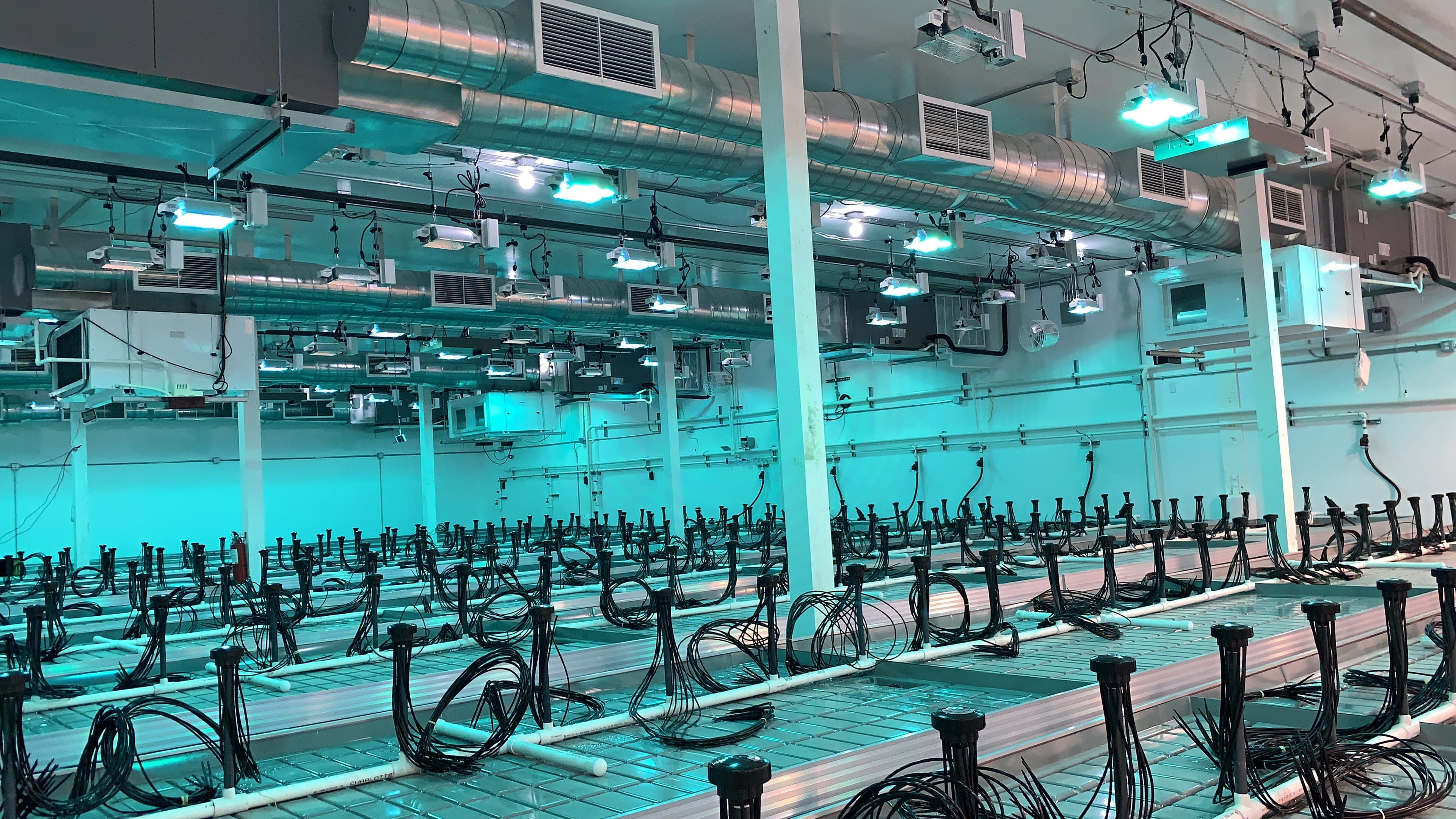
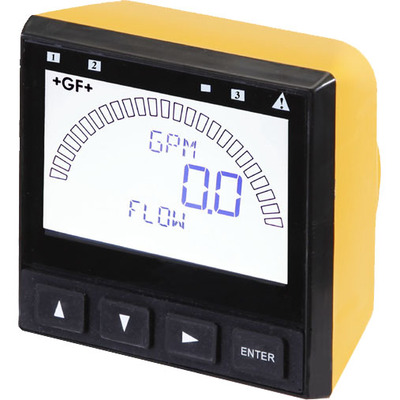
Flushing the fertigation plumbing mains, sub-mains and zone level distribution lines is an important step in ensuring your Rhythm AFS can perform at peak efficiency. Even with filters in each room, small particles can get by and should be physically removed from the piping and drip systems. Cleaning the irrigation and dripper systems must be done at regular intervals. Frequency depends mainly on the water quality and the maintenance program. The Rhythm software will notify you of low-flow, indicating a possible filter clog. Routinely inspect the filters and clean regularly.


.svg)